Cloud System Administrator Program
Understand the cloud so you can create and implement systems that build our online world.
Semesters: Spring | Summer | Fall | Winter
- Surrey | Abbotsford | Kelowna Campus
- 960 Hours
- 48 Weeks
Program Overview
Technology industry has been evolving rapidly and has become one of the fastest growing industries in Canada. This rapid growth requires professionals who can monitor and manage various areas of technology including computer software and hardware, networks, Internet servers, and security, to name but a few. Furthermore, as more and more business solutions and services have been moving to the Cloud, it has become crucial for individuals to gain knowledge of and experience in managing these services on platforms such as Microsoft Azure. This significant rise in Cloud computing and automation has paved the way for new avenues for a successful career in IT infrastructure management. This is where the skills of system administrators come into play. System administrators can play a key role in the maintenance of and seamless and secure running of various IT services within an IT infrastructure.
The Cloud System Administrator Program is intended for individuals who are seeking the working knowledge of and certification in computer and systems-related administration. Through this program, students will have the opportunity to work on modern popular operating systems including Microsoft Windows Server and Linux. As a graduate of this program, students will be equipped with the essential skills and knowledge to install, configure, and upgrade both software and hardware, troubleshoot computer networks, operate Windows PowerShell for task automation and configuration management, creating and managing system permissions and user accounts, and perform regular security tests and security monitoring. Through the lab-oriented courses and hands-on learning approach alongside practical assignments and projects, students will quickly gain the practical skills and competence required for making a successful career as a system administrator in an IT industry. The program will also help students prepare for certification exams including CompTIA A+, Network+, Security+, CCNA, and Microsoft Azure AZ-900.
Course Highlights
Study hours: 960
Full-time duration: 48 weeks
Homework hours: 10-15 hours per week
Attendance Expectations: Students are required to maintain their attendance as per the FC attendance policy.
Delivery methods: in-class, online, or combined
Graduation requirements: To graduate, students must successfully complete all courses with minimum C grade (50% to 59%)
This program has been approved by the Private Training Institutions Regulatory Unit (PTIRU) of the Ministry of Post-Secondary Education and Future Skills. This program is not eligible for PGWP.
Career Opportunities
- Cloud System Administrator
- Cloud System Analyst
- Cloud System Solution Provider
- Cloud Technologist
- DevOps Practitioner
- Site Reliability Architect
- Cloud Compliance Professional
- Cloud Solutions Architect
Salary Range
Cloud System Administrator
Anticipated Salary Range
*This estimate is based on available employment data at the time. Actual salary will be based on numerous factors.
Source: Glassdoor

Course Curriculum
Computer Systems Fundamentals — 48 hrs
This introductory course is designed to provide students not only a comprehensive grounding in fundamental knowledge of computers but also some of the latest advances in technology. More specifically, using both lectures and laboratory practices, the course would introduce students to essential computing concepts in hardware, software, data storage and manipulation, operating systems, programming, e-commerce, networking and the Internet. Students will gain hands-on experience with different operating systems including Windows, Linux, and Mac, application software packages including spreadsheets, word processing, and presentation, security software, email, the World Wide Web, and the Internet. Students will also learn techniques of refined searching, evaluating, and validating information on the Internet. Furthermore, the course will provide a very basic understanding of advanced and emerging computing technologies including artificial intelligence, machine learning, cloud computing, virtual and augmented reality, Internet of things, blockchain technology, quantum, fog, and edge computing, and 5G technology. Finally, the course would examine the social, legal, and ethical aspects of computing including privacy, data protection, intellectual property, health concerns, and accessibility.
PC Maintenance: Hardware — 48 hrs
The purpose of this course is to provide students with a hands-on knowledge and comprehensive grounding in computer hardware and their operation. More specifically, using both lectures and laboratory workshops, the course will equip students with necessary skills required to manage, maintain, and troubleshoot computer hardware and their constituent parts. This course has been designed in alignment with CompTIA A+ learning objectives. The course will cover a range of topics including identifying different parts of a desktop computer, laptop, and mobile devices along with their operation and functions, connectivity and compatibility of internal parts of a computer, identifying repairing and maintenance tools and their purposes, disassembling and assembling back both a desktop and a laptop, installing, replacing, configuring, and maintaining motherboards, microprocessors, and memory (RAM), comparing the purposes and features of Intel and AMD processors, comparing various types of RAM and their features, installing, configuring, and maintaining various types of hard drives and comparing their features, implementing and setting up hardware RAID, and installing, configuring, and troubleshooting I/O devices, networking hardware, and printers. Students will gain hands-on experience of routine maintenance tasks required to support and manage all kinds of computer hardware. The course will help students prepare for the CompTIA A+ certification exam.
PC Maintenance: Software — 48 hrs
This is the second course that has been designed in alignment with CompTIA A+ certification requirements. The purpose of this course is to provide students with practical knowledge and hands-on experience of software installation, configuration, troubleshooting, and maintaining fundamental system security. More specifically, the course will equip students with necessary skills required to manage, maintain, and troubleshoot operating system, application programs, and other software. Students will learn how to install, configure, and set up Windows, application programs, and networking software. Through hands-on lab sessions and practical assignments, students will gain knowledge and skills of using different Windows tools and utilities to support the system and customers, manage user accounts, files, and folders, taking backup of data and system files and keep them safe in case of crash, and perform preventive maintenance tasks to keep Windows healthy. The course will also examine the networking software (TCP/IP protocol stack), connecting to and setting up a network, and securing Windows resources including files and folders. Finally, the course will explore Android, iOS, and Windows mobile operating system. Students will gain hands-on experience of routine maintenance tasks required to support and manage all kinds of computer software. The course will help students prepare for the CompTIA A+ certification exam.
Introduction to Computer Networks — 48 hrs
This course is designed to provide learners the fundamental knowledge of networking, with particular emphasis on the architectural components of a computer network and network technologies. More specifically, this course will introduce students to the architecture of a computer network, different types of networks, network technologies including both local and global, networking hardware, and the design and configuration of a computer network. The course will begin with the introduction of basic terminologies and concepts and will move on to explore the core components of a network including basic hardware and software, end systems, access networks, network applications, network links, and physical media. The course will explore various types of computer networks including LAN (Local Area Network), WAN (Wide Area Network), and the Internet. Students will also gain an understanding of physical topologies of a computer network and different types of cabling used for networking. The course presents a brief introduction to each layer of the TCP/IP protocol stack and the protocols used on the Internet. Students will also learn about the operations and functions of different networking hardware, with particular emphasis on router, switch, network interface card, and modems. During the course, students will gain a hands-on experience on how to design and configure a computer network. Furthermore, the course will also explore wireless networking, particularly wireless LAN (WLAN) including characteristics of wireless transmission, WLAN standards, and technologies. Finally, the course will introduce network security and troubleshooting of computer network. The course will help students prepare for the Network+ certification exam.
Essentials of Cloud Computing — 48 hrs
This course is designed to provide students the fundamental knowledge of cloud computing, with particular emphasis on cloud services delivery models, deployment models, and cloud infrastructure. More specifically, this course will provide students an in-depth knowledge of three major cloud services delivery models including Infrastructure-as-a-Service (IaaS), Platform-as-a-Service (PaaS), and Software-as-a-Service (SaaS), three main cloud deployment models including Public, Private, and Hybrid, and core components of cloud infrastructure including virtual machines, networking devices, servers, and cloud storage, and current trends and practices and emerging technologies in cloud computing. The course will examine currently available key cloud service platforms including Microsoft Azure, Amazon Web Services, Google Cloud Platform, IBM Cloud, and Salesforce cloud. Students will demonstrate how to create an account on IBM cloud, create a bucket in cloud object storage (COS), add files to the bucket, and make the files publicly visible. They will also learn about current trends and practices such as Hybrid Multicloud, Serverless computing, Microservices, and the role of DevOps, and emerging technologies including, Internet of Things (IoT), Artificial Intelligence, Blockchain, and analytics in the cloud. The course will also provide a brief overview of concepts and components of cloud security, including Identity and Access Management and encryption on the cloud. Finally, the course will help students develop a business case for a particular organization to migrate to the cloud. Students will gain a hands-on experience of real- world cloud platforms including IBM Cloud and Microsoft Azure. This course will help students prepare for the Microsoft Azure AZ-900 certification exam.
Windows Client OS Configuration — 48 hrs
This is the first course of the Windows client operating system courses. This course will equip students with the working knowledge and hands-on experience of Windows 10 configurations and will provide a basis for Windows Server courses. The course will begin with explaining the requirements and steps to install and configure Windows 10 and will proceed to installing it in an enterprise environment with additional features and post-installation configurations including power settings, customization of the user interface, and accessibility options. The course will further explore different ways to configure Windows environments including remote connections and mobile computing. Students will learn how to configure and manage file and printer sharing, folder shares, public folders, OneDrive, and file and folder permissions. Students will also learn how to configure and implement Windows networking including Workgroups and domains. Furthermore, the course will introduce installation and configurations of desktop applications, startup options, and Windows features. Finally, the course will examine authorization and authentication and backup and recovery methods. This course will help students prepare for the MD-100: Windows Client and MCSA 70-698 certification exams.
Windows Devices Configuration — 48 hrs
This is the second course of the Windows client operating system courses. The main purpose of this course is to prepare students for implementing, administering, and troubleshooting Windows computers and devices in environments ranging from small to enterprise-level deployments. More specifically, this course will equip students with the working knowledge and hands-on experience of Windows 10 to configure and deploy devices and drivers, configure storage and security, plan and manage Microsoft Intune, and manage and support data access, Windows Store, and Cloud apps. The course will begin with the discussion of configuring automated installation of Windows 10 and will explain Hyper-V, images, and mobility configuration options. The course will cover devices and drivers’ configuration and will teach learners how to install, update, and disable drivers, configure their settings, and resolve associated issues. Students will learn how to configure disks, volumes, removable devices, I/O devices, and file system options. They will further examine troubleshooting storage and removable devices issues and NTFS (New Technology File System) security issues. The course will further explore Microsoft Intune to teach learners how to manage devices, enroll devices, provision user accounts, manage policies, and manage remote computers. Using Intune, students will also learn how to deploy software applications and updates, manage and support mobile devices, Windows Store and cloud apps, and desktop apps. Finally, the course will explore how to deploy and manage Azure RemoteApp. This course will help students prepare for the MD-100: Windows Client and MCSA 70-697 certification exams.
Windows Server 2019 Configuration — 48 hrs
This is the first course of the Windows Server 2019 courses. This course is designed to equip students with the working knowledge and hands-on experience of Windows Server 2019 configurations. More specifically, the course will provide learners an in-depth knowledge and necessary skills to: i) install and configure Windows Server 2019 in host and compute environments; ii) implement storage solutions, Hyper-V, Windows containers, and high availability; and iii) maintain and monitor server environments and installations. The course will begin with the discussion of Windows server 2019 installation requirements and will explore server roles, features, and deployment services. Students will learn how to install and configure Windows server 2019 and Nano server, implement roles and features, perform upgrades and migration of servers and core workloads, and create, manage, and maintain server core and Nano server images. Through hands-on laboratory sessions and practical assignments, students will further develop skills to perform configuration of disks, sectors sizes, and data replication, creation of virtual hard disks, and installation and configuration of Hyper-V and virtual machines. The course will also explore configuration and management of high availability and disaster recovery, implementation of network load balancing and failover clustering, and installation and configuration of Windows containers. Finally, the course will examine the maintenance and monitoring of Windows server performance, efficiency, and installations.
Linux Essentials and Shell Scripting — 48 hrs
The purpose of this course is twofold: i) to provide a hands-on introduction to Linux and its commands; and ii) to introduce essential shell scripting for automating a variety of tasks. Hence, the course has two main parts. The first part would focus on introducing essential commonly used Linux/Unix shell commands. These include, but not limited to, general purpose commands, directory management commands, file management commands, access control commands, and networking commands. Through hands-on labs and practical assignments, students will learn how to interact with the Linux terminal, execute different commands, navigate directories, edit files, and install and update software. The second part of the course aims at learning how to write small pieces of shell scripts and execute them in the Linux terminal. Students will gain the working knowledge and hands-on experience with writing fundamental shell scripts and will gradually move towards practicing more advance scripts using constructs including variables, operators, selection, loops, functions, and arrays. Furthermore, the course will also equip students with the skills to create shell scripts involving metacharacters, quoting mechanisms, command substitutions, I/O redirection, pipes and filters, and command line arguments. At the end of the course, students will be able to run shell commands and scripts with great confidence and ease leading to increased productivity and less effort in performing tedious and redundant tasks.
Windows PowerShell — 48 hrs
The purpose of this course is twofold: i) to provide a hands-on introduction to Windows PowerShell and its commands; and ii) to introduce essential shell scripting for administering and automating a variety of repetitive and tedious tasks. Hence, the course has two main parts. The first part would focus on introducing essential commonly used PowerShell commands. These include, but not limited to, general purpose commands, directory management commands, file management commands, access control commands, and networking commands. Through hands-on labs and practical assignments, students will learn how to interact with console, execute different commands, navigate directories, edit files, and install and update software. The second part of the course aims at learning how to write small pieces of shell scripts and execute them to automate the day-to-day tasks. Students will gain hands-on experience with writing basic scripts and will gradually move towards creating more functional scripts using constructs including variables, operators, selection, loops, functions, and arrays. Furthermore, the course will also equip students with the skills to use cmdlets and scripts for memory and process management, network management and basic troubleshooting, and managing structured data including reading and writing CSV files, Excel spreadsheets, and JSON files. Students will also learn how to write scripts that will manage the active directory objects including user accounts, computer accounts, and groups. Finally, the course will discuss the best practices for writing shell scripts and evaluating the scripts and outputs.
Internet Protocols Fundamentals — 48 hrs
This course is designed to provide learners with the fundamental knowledge of Internet, with particular emphasis on the Internet architecture, applications, and protocols. More specifically, this course will provide students an in-depth knowledge and working of the TCP/IP (Transmission Control Protocol/Internet Protocol) protocol stack. The course will begin with the introduction of the Internet and will discuss further the network application architecture including client-server and peer-to-peer (P2P) architecture. The course will explore different types of distributed applications including the World Wide Web and HTTP protocol, electronic mail and SMTP protocol, the domain name system (DNS), file transfer and FTP, and peer-to-peer file distribution. The course will examine further two transport layer protocols including TCP and UDP (user datagram protocol) and the services these two protocols offer to the process-to-process communication on the Internet. Students will explore the network layer functions and services that include IP addressing schemes, subnetting, packet encapsulation, DHCP server and protocol, address resolution protocol (ARP), routing, routing protocol, routing table, the function and working of routers, and network address translation (NAT) protocol. Finally, the course will examine the data link layer of the TCP/IP protocol stack and the associated protocols and issues. Through a series of experiments carried out using Wireshark, a packet capture tool, students will gain hands-on experience of network traffic analysis. The course will help students prepare for the CCNA certification exam.
Cisco Networking: Routing and Switching — 48 hrs
This course is designed to provide learners the working knowledge and hands-on experience of routing and switching. More specifically, this course will provide students an in-depth knowledge and skills of how different devices are connected by a switch in a network and how different networks are interconnected by a router. Students will gain the necessary skills of implementing layer 2 and layer 3 protocols and setting up, configuring, and troubleshooting layer 2 switch and layer 3 router of the TCP/IP networking model. The course has two major parts. In the first part of the course, students will learn about topics including switch features, functions, components, configuring settings on a switch, interface configuration settings, working with virtual LAN (VLAN), VLAN Trunking protocol, Spanning Tree Protocol (STP) and Rapid STP. The second part of the course will introduce students to routing basics, dynamics routing, routing process, routing troubleshooting commands, router-on-a-stick, setting up and configuring a router, routing protocols, and operating, configuring, and troubleshooting the Open Shortest Path First (OSPF) routing protocol. Finally, the course will explore implementing security on Cisco devices and will discuss further device password configuration, configuring layer 2 security features, and applying access control lists (ACL). Through a series of experiments carried out using Cisco Packet Tracer simulation software, students will set up, manage, and monitor a simple network. The course will help students prepare for the ICND2 and CCNA 200-301 certification exam.
Networking with Windows Server 2019 — 48 hrs
This is the second course of the four Windows Server 2019 courses. The main purpose of this course is to provide students with the working knowledge and skills required to successfully configure, manage, and troubleshoot the TCP/IP protocols stack in Windows Server 2019. More specifically, using Windows server 2019, this course will cover the configuration and management of networking protocols and domain name system (DNS) and dynamic host configuration protocol (DHCP) servers, the implementation of IP address management, configuration of network access, and understanding file services. Students will learn how to configure and implement IPv4 addressing, subnetting, supernetting, and interoperability between IPv4 and IPv6. Students will also gain the hands- on knowledge of installing and configuring DNS servers, creating and configuring DNS database zones and records, and installing, configuring, and maintaining DHCP server. Students will further learn the installation and configuration of IP address management (IPAM) and management of DNS and DHCP servers using IPAM. Finally, the course will cover the implementation of network address translation (NAT) and virtual private network (VPN) and the installation and configuration of distributed file system (DFS) namespaces and branch office solutions.
Identity Management with Windows Server 2019 — 48 hrs
This is the third course of the Windows Server 2019 courses. This course is designed to equip students with the working knowledge and hands-on experience of configuring, administering, and maintaining Active Directory infrastructure using Windows Server 2019. The course will start with the fundamental concepts of active directory components and objects and will proceed to introduce the installation and configuration of active directory domain controller and domain services. Student will learn how to create and manage active directory users, computers, groups, and organizational units (OU). Students will further explore the configuration of service authentication, account policies, active directory maintenance, and the configuration of active directory in a complex enterprise environment. The course will also cover the creation and management of group policies objects (GPOs) and the configuration of group policy processing, settings, and preferences. Furthermore, the course will examine the implementation of active directory certificate services including certificate deployment, validation, and revocation, and the configuration and management of certificate templates, renewal, and enrollment. Finally, the implementation of identity federation and access solutions will be discussed.
Cybersecurity Fundamentals — 48 hrs
The main purpose of this course is to provide a foundational background for understanding the basics of cybersecurity. More specifically, the course will teach students the skills required to identify basic security threats related to operating system, computer networks, software and applications, hardware, personal data and databases, and choose the best security practices to address those threats. The course will begin with the origin of cyberattacks and will discuss further the cybersecurity roles, processes, and types of security threats and cyberattacks. Students will learn about password management, multi-factor authentication, device hardening mechanisms, and will understand the difference between authentication, authorization, and accounting. An introduction to operating system threats and security techniques will be provided. The course will further examine different types of network attacks including denial of service (DOS), distributed DOS, and botnets attacks and how to defend networks against such threats. Students will learn about the data and database vulnerabilities and the safeguarding measures to protect against database breaches. The course will introduce web-browsing safety concerns with applications and public browsing, including managing plug-ins, extensions, and toolbars. Students will gain knowledge of web browser security configurations, cookies, and computer caches. A brief overview of infrastructure security will also be provides. Finally, students will get an overview of IT governance and best practices and compliance frameworks and standards. The course will provide students the working knowledge and hands-on experience to develop their cybersecurity skills through industry specific and open-source security software, tools, and utilities. This course will help students prepare for the CompTIA Security+ certification exam.
Securing Windows Server 2019 — 48 hrs
This is the final course of the Windows Server 2019 courses. This course is designed to provide students with the working knowledge and practical skills required to secure Windows Server 2019 implementation. More specifically, using Windows server 2019, this course will cover the implementation of server hardening solutions, securing a virtualization and network infrastructure, managing privileged identities, implementation of threat detection solutions, and workload-specific security. The course will begin with the configuration of disk and file encryption and will move on to explore the implementation of server patching and updating solution, deploying and managing malware protection, and protecting credentials. The course will examine techniques to secure Hyper-V virtualization infrastructure and will discuss the implementation of a Guarded Fabric solution and shielded and encryption-supported virtual machines (VM). Students will explore the security of network infrastructure and will learn how to configure Windows firewall, implement a software defined distributed firewall, and secure network traffic. The course will further introduce security techniques to manage privileged identities from cyberattacks. Furthermore, the course will examine the implementation of threat detection solutions including configuring advanced audit policies, installing and configuring Microsoft Advanced Threat Analytics, and Operations Management Suite. Finally, students will learn how to implement workload-specific security and will gain the skills to secure application development and server development infrastructure, dynamic access control, and file services infrastructure.
Virtualization and Cloud Technology — 48 hrs
This course is designed to provide an in-depth knowledge of the architectural components of virtualization and cloud computing. More specifically, this course will provide students the working knowledge of virtualization and its different types including server virtualization, desktop virtualization, network virtualization, application virtualization, and storage virtualization. The course will begin with the introduction of fundamental concepts and terms including virtualization, hypervisor, the Java Virtual Machine (JVM), virtualization in cloud, benefits, and working of virtualization, VMware, and the major components comprising virtualization and cloud computing. The course will then introduce server virtualization where students will learn how to deploy and configure a private cloud environment virtualizing authentication and database servers. The course will then discuss desktop virtualization enabling students learn different approaches and levels of deploying and configuring desktop virtualization including virtual desktop infrastructure and local desktop virtualization. Student will explore network virtualization and will demonstrate how to create a virtual instance of the network virtualizing hardware (switches and routers) through software defined networking (SDN) and their functions through network function virtualization (NFV). In order to deploy applications in the cloud, students will gain the working knowledge and skills of containerization to package applications with all its necessary components. They will explore Docker, one of the well-known container engine technologies, and Kubernetes, open-source container management/orchestration system. Finally, the course will cover storage virtualization that will help students learn how to create a single virtual storage pool of all storage devices for better access and maintenance. This course will help students prepare for the Microsoft Azure AZ-900 certification exam.
Microsoft Azure Fundamentals — 48 hrs
The main purpose of this course is to provide students with the working knowledge and skills required to successfully manage the resources of Microsoft Azure. More specifically, this course will teach students the basic concepts of Microsoft Azure, core Azure architectural components, cloud concepts in Azure, and Azure services. The course will begin with the introduction of basic terms of Azure and will move on to discuss how to navigate the Azure Portal, create an Azure dashboard and a custom dashboard, and add appropriate services. Students will learn about the core architectural components of Azure including subscriptions, management groups, resources and resource groups, and geographic distribution concepts including Azure regions, region pairs, and availability zones. The course will further explore the concept of cloud computing in Azure and Azure cloud services including compute, network, storage, and database. Students will gain the working knowledge of Azure virtual machines, Azure container instances, Azure databases services, and will demonstrate how to deploy and manage virtual machines in Azure. The course will also examine deploying Azure networks, securing network resources, and firewall configuration. Finally, the course will discuss storage creation and management options in Azure. This course will help students prepare for the Microsoft Azure AZ-900 certification exams.
Communication Skills — 48 hrs
The main purpose of this course is to help students develop and enhance effective communication skills in English for successful interaction. More specifically, the course will focus on particular domains of communication in English including the role of listening, verbal and non-verbal communication, holding a formal conversation at interviews and meetings, writing professional emails, making effective presentations, and networking online. The course begins with the introduction of elements of communication and will move on to discuss communication style, barriers to communication, and the process and core principles of effective communication. Students will learn how to improve their listening skills, understand non-verbal cues in communication, write persuasive messages, and select the right medium of communication. The course will focus on building students’ speaking and writing skills and will enable them to clearly articulate their thoughts and ideas in writings and speaking including in-person, online, and telephonic conversations. Students will also learn how to write effective business emails to fulfil their professional needs. The course will further cover interviewing and presentation techniques to help students prepare for better interviews and design and deliver effective presentations. Finally, the course will cover online networking and will equip students with the necessary skills required for making meaningful online connections with other professionals.
Career Development Planning — 48 hrs
This course is designed to help students plan, develop, and pursue effective career and employment strategies. More specifically, the course will focus on particular domains and stages of career development including devising career strategies for before, during, and after the job interview. The course is divided into three major parts. The first part of the course will focus on the before the interview stage. Students will learn about the techniques of choosing an appropriate career that suit them their interests, knowledge, and skills and also comply with the type of work they choose. Students will further learn how to create an effective professional resume from scratch or update the current one. The course will also cover creating a profile on LinkedIn and Indeed employment website, the tips and techniques of tapping the hidden job market, and assessment of online presence. Students will also learn how to write and adapt a professional cover letter. The second part of the course will focus on preparing students for the job interviews. Students will participate in video-recorded mock interviews that will enable them to assess their own interests, skills, competence, performance, personality, and values. The final part of the course will cover the after the interview stage and will discuss the follow-up, negotiations, weekly manager meetings, and the impact of contemporary issues on career choices and self-management. Finally, the course will discuss the BC Human Rights Code, BC Employment Standards Act, federal Employment Equity Act, and employees’ rights.
Admission Requirements
- Grade 12 (or equivalent) Canadian high‑school credential OR
- Relevant professional experience / mature‑student status
Applicants must provide proof of English language proficiency through any one of the following:
- Completion of 2 years of secondary education (including English 10 and 11 with a grade of ‘C’ or higher) from a country where English is one of the principal languages
- Completion of 2 years of full-time post-secondary education at an accredited institution where English is the language of instruction
- An English Language Proficiency Test with one of the following minimum scores:
- International English Testing (IELTS) Academic: Minimum overall score of 6.0
- Test of English as a Foreign Language (TOEFL) IBT: Minimum overall score of 67 (TOEFL-Home test not accepted).
- Canadian English Proficiency Index Program (CELPIP): Listening 7, Speaking 7, Reading 7, and Writing 7
- Duolingo English Test: Minimum overall score of 105
- Pearson Test of English (PTE) Academic: Minimum overall score of 52
See full English Language Proficiency Requirements for details.
- Reliable high‑speed internet and a device capable of running online‑class software (e.g., Microsoft Teams)
- Approximately 10-15 hours/week homework is required from students to be successful in this fast-paced and intensive program.


Tuition Fees
- Tuition Fee: $15,500
- Application Fee: $200
- Assessment Fee: $250
- Administration Fee: $100
- Course Material Fee (Books not included): $600
- Archive Fee: $30
- Total Fees: $16,680*
*Domestic students may qualify for financial aid or Focus College scholarships. Complete the application form or visit our Financial Assistance page to learn more.
- Tuition Fee: $16,000
- Application Fee: $500
- Assessment Fee: $250
- Administration Fee: $100
- Course Material Fee (Books not included): $600
- Archive Fee: $30
- Total Fees: $17,480
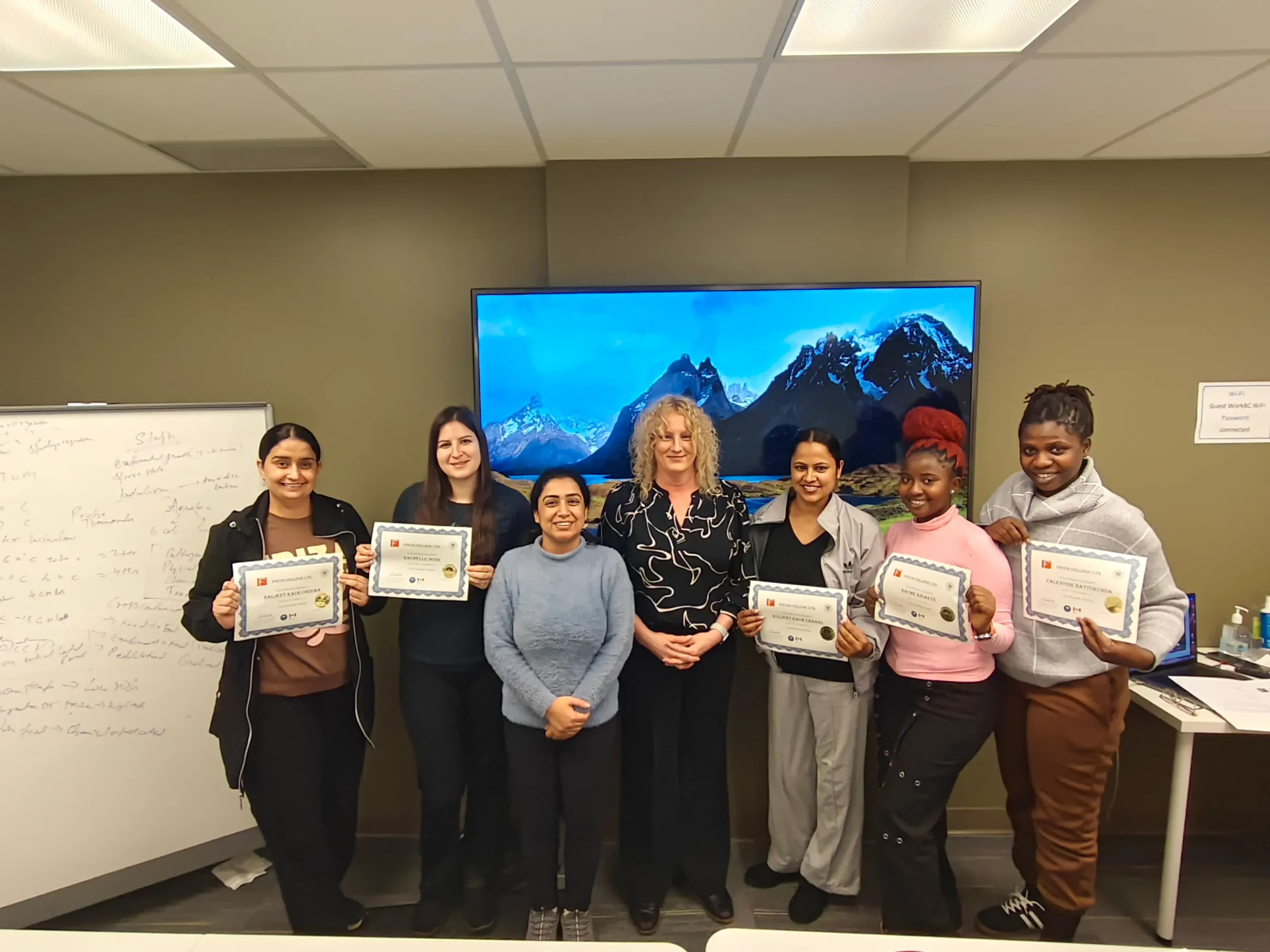
Student Success Stories
Posted onTrustindex verifies that the original source of the review is Google. I had good experience with focus college.Posted onTrustindex verifies that the original source of the review is Google. I did my studies with Focus college and it’s totally outstanding for learning new education. I recommend to take admission here. I am very Thankfull to Arvind and prabsharan mam who helped me a lot there.Posted onTrustindex verifies that the original source of the review is Google. this college is very good i really like the environment as well as staff behaviour i spent full one year in this college love the faculty ❣️Posted onTrustindex verifies that the original source of the review is Google. My experience at focus college is very good. Teachers as well as students services department is helpful when needed.They helped me to learn and boost the knowledge for business skills which will be helpful for my further career. Komal Preet Kaur (4822)Posted onTrustindex verifies that the original source of the review is Google. I’m really happy to be a student at Focus College. The atmosphere here is very welcoming and student-friendly. The college provides a good balance between academic learning and practical knowledge, which has helped me grow both personally and professionally. The staff and instructors are experienced, approachable, and always willing to help whenever we face any challenges. I want to give a special thank you to Mam Arwind Kaur from Student Services. She has been incredibly supportive throughout my journey at Focus College.Posted onTrustindex verifies that the original source of the review is Google. My experience at Focus college has been positive overall. The instructors are supportive and explain concepts clearly. The campus is clean and well-organized, with helpful student services( Arvind kaur) like tutoring ( Dunsin Ateji) and career support. Online learning tools are easy to use, and the course content is relevant to real-world careers. I’d recommend this college to students looking for a quality and practical education.Posted onTrustindex verifies that the original source of the review is Google. I had a great experience at Focus College! The instructors were knowledgeable and supportive, and the courses were well-structured.Posted onTrustindex verifies that the original source of the review is Google. I’m really grateful to be a student at Focus College. The teachers here are sweet, cooperative, and always ready to help us with any problem we face—whether it's related to studies.The small classroom sizes create a comfortable learning environment, allowing each student to get personal attention and understand the topics clearly. A special thank you to Arvind Mam.She has always supported me whenever I had difficulties in my studies or questions about marks. Focus College truly cares about its students, and I’m proud to be part of it!Posted onTrustindex verifies that the original source of the review is Google. i having a v good experience at this place this college is one of the best college in surrey i m a student there mr umer the director is a very nice man the other staff student coordindator arvind kaur is very helpful teachers are undersatnding and cooperative class mates r friendly environment is good.Posted onTrustindex verifies that the original source of the review is Google. FRIENDLY BEHAVIOUR TEACHERS AND SUPPORTIVE FRIENS IN SUBJECTS MOREOVER LIKE THE COFFEE MACHINE 😊